It’s the final post of this 2025 year, and again an accounting of all the toys and gadgets I’ve picked up this year – the purchases that turned out fantastic, the misses, and everything else that fell between! I picked up a larger number of toys this year though most I did not finally post about here for reasons of inertia, procrastination, and a general lack of time. But better late than never, so here goes!
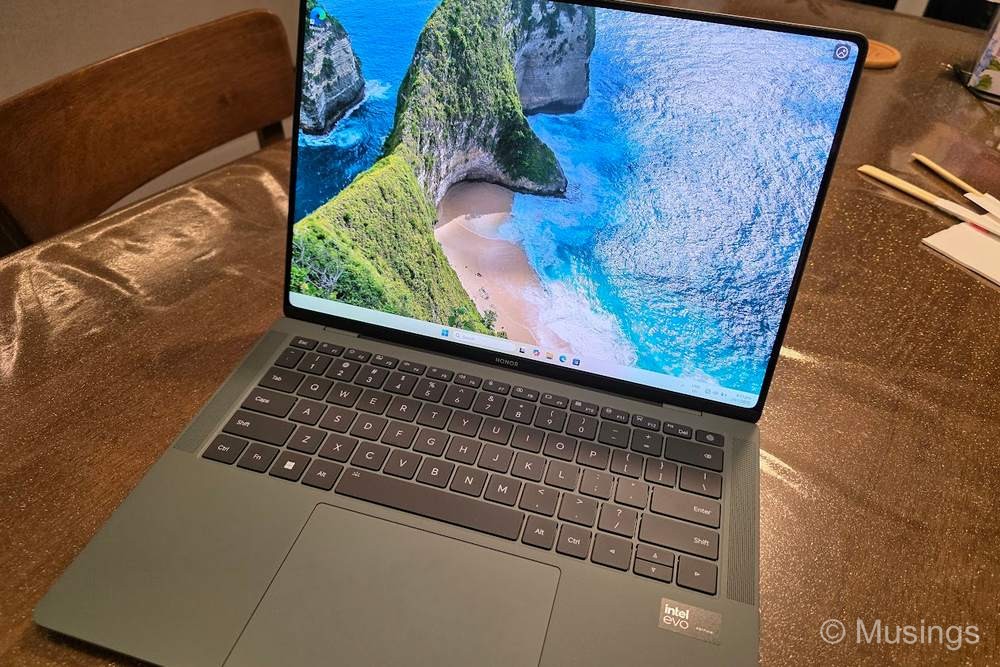
Honor MagicBook Pro 14 – win: Fantastic OLED screen, runs cooler than many other daily workhorse laptops I’ve owned previously, and built lovingly with a lot of care to design touches. I would have liked a dark shade of grey for the laptop, but it wasn’t available. And the Chinese-styled laptop configuration software takes a bit of getting used to, but beyond that, this will continue to be every day laptop at home for the next 2 years.
Honor MagicBook Art 14 – win: Stylized like the Pro 14 above with a similarly equivalent OLED screen, but in a super svelte form factor. The laptop is now my travel notebook: it’s built like a tank, has a lovely surface coating, and yet remains very light! My only quibbles is that under stress, it doesn’t perform as quickly as the Pro 14, but for my travel needs, this is as good a machine as I’ve owned.
Samsung S25 Ultra – win: I was iffy about upgrading from the S24 Ultra this year, but Samsung offers fantastic upgrade paths, no doubt to continue keeping their fan base hooked into their ecosystem. This phone improves on the S24 Ultra with a ever slightly larger display, slightly better battery life, and even better AI smarts. Though the later half of 2025 has seen the release of a slew of even better smartphones from the Chinese manufacturers like Vivo, Honor, Oppo and Xiaomi: all of whom offer far superior battery life to the S25U. The latter remains one of my issues with the Samsung’s flagship phone series, and it doesn’t look like the upcoming S26 Ultra is going to improve significantly in this regard. But we’ll see!
Apple Macbook Air M4 – mixed: The wife got me this as a super belated birthday present earlier ths year, and it was largely in part to that after 10 years, I figured it was about time for me to try to give another shot to the Macbooks. And I tried mightily to adjust, but I still couldn’t change my work habits and routines sufficiently to truly feel at home with the MB Air – no matter its hardware advantages including super premium build, very long battery life, and all round fantastic performance in MacOS. As a result, the MB Air is largely unused at home for the time being until I can figure out a better use for it.
Samsung Tab S10 Plus – win: The Samsung Tab S9 is a fantastic little tablet that I brought along for last year’s travels, but I wanted something with a larger screen to blog on the go – particularly since I routinely have multiple-windows opened on my tablets when I’m writing. I initially tried the Oneplus Pad 3 Pro, and liked it a lot: the display while not OLED was of a more suitable aspect ratio for my needs, performance was buttery smooth, and the battery life of this tablet was way ahead of Samsung Tabs. However, the Pad 3 Pro did not support mobile connectivity, which while at home was something I could live without, I can’t when I’m traveling. So, I sold the Pad 3 Pro and picked up the S10 Plus instead – the very tablet that I’m now writing this post on at Nex’s Yakun Kaya Toast. LOL.
DJI Osmo Nano – mixed: A little gadget I picked up for largely for the China trip: this is a tiny and cute action camera that can be attached to apparel and bag straps for unobstructive recording. I never quite got round to using it during the trip though, as I already had so many other gadgets that were in my bag and that I had to keep my eye on! Perhaps the next trip then.
Playstation PS5 Slim – mixed: I bought this late in the year out of exasperation with our PS4 at home: the machine is 8 (?) years old now and is slowly breaking down, starting with this built-in optical blu-ray reader that refuses to read game discs half the time now. The PS5 was the only other option, and the quality of games available now on it is better than ever. Thing is: I still suffer from motion sickness far too easily, so a number of games are loaded onto the console but I can only consume them in tiny bits every day. Fortuntely, the son has no such difficulties, and in a matter of days after picking up the console, he’s already completed Ratchet & Clank: Rift Apart. So, at least someone is getting maximum mileage out of it at home. :D
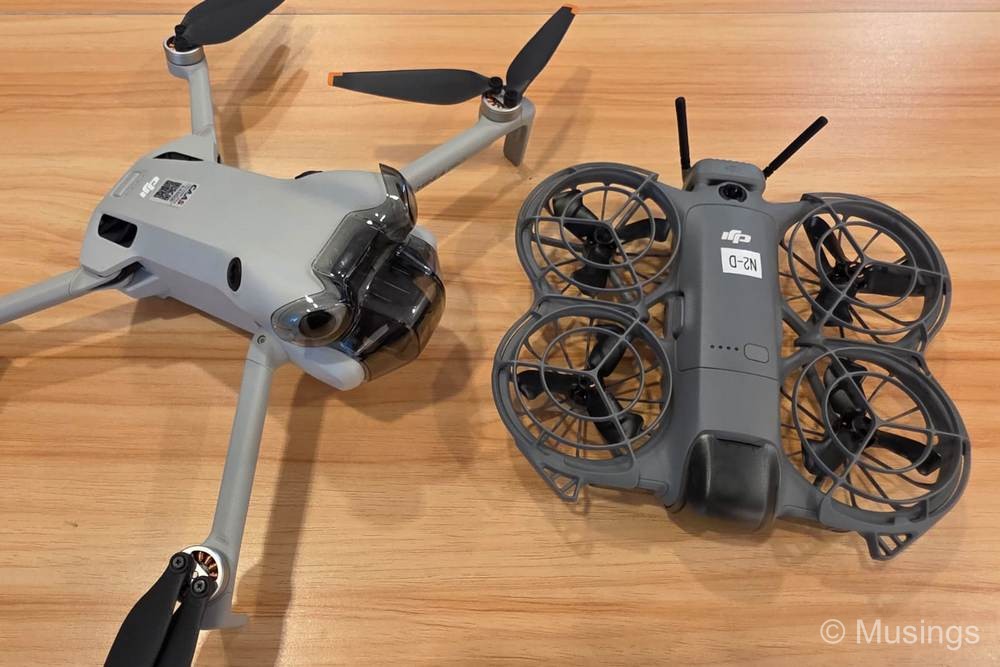
DJI Neo 2 – win: I picked this up also for the China trip, and as a backup drone to the DJI Mini 4 Pro in anticipation that I would – in all likelihood – crash that drone somewhere in the trip. That turned out to be quite prophetic, though not in the way I expected: I crashed the DJI Mini 4 Pro on the very last day I was flying, and while on a return-to-home flight. By that point, there wouldn’t had been any further opportunities to fly drones anyway. So, the Neo 2 didn’t get to see much use after all, though I did take it out for flights at Black Dragon Pool and also Pudacuo National Park.
Xiaomi Pad Mini – win: My small handheld tablet fix has been satiated by the iPad Mini 6 for more than 4 years now, but Apple’s resistance towards including OLED screens and/or higher refresh displays on their iPad Minis has meant that the user experience using these Minis has felt gimped for years now, particularly in comparison to Android tablets where for several years now have all moved to very high quality displays. My use case for a small tablet is specific: must be handheld, should have an OLED screen, must have high refresh rate, and mobile connectivity would be nice but not finally mandatory since I would largely use the tablet at home. Only Android tablets would meet all the mandatory requirements, and there were just a few options: the RedMagic Astra (high refresh OLED, no mobile connectivity, expensive), the Redmi K Pad (high refresh non-OLED, no mobile connectivity, cheap, but China ROM), Lenovo Y700 Gen 4 (high refresh non-OLED, no mobile connectivity, available locally but expensive), Huawei MatePad Mini (high refresh OLED, mobile connectivity, but China only and running Harmony OS), and finally the Xiaomi Pad Mini (high refresh non-OLED, no mobile connectivity, available locally, affordable though not as cheap as the Redmi K Pad). I considered picking up the Redmi K Pad in Chengdu as it could be had for just SGD500, but decided not to risk a China ROM in Singapore: so picked up the Xiaomi Pad Mini just a few days ago in Singapore. The Pad Mini doesn’t have an OLED screen but its display nonetheless is as good as a non-OLED screen can get. I’m still getting used to this new handheld, but from initial use, it’s looks to be a great replacement for the iPad Mini 6.
That’s a wrap for 2025: lots of tech toys this year and I didn’t comment on the Lenovo laptop I bought for the missus nor the Synology NAS I finally took time to setup for our home. But 2026 should be a lower key year. Hopefully!
Oh wow! Please do write a set-up guide and review of the Synology NAS…I also got the Synology NAS but really took a while to get it going and even now, still unsure how settings worked. There are just 1 or 2 setup videos online but would appreciate some help along the way, at least from a onedrive/google drive replacement alternative!
Hi! Well, I’m not an expert on how to set up NASes at all, and I relied largely on Synology’s own user guides and so on. But if you’re using the NAS in the same way I am – i.e. just as storage and not running other services like streaming on it – then the basic things I recall doing was:
a) Setup user accounts (who can access the NAS)
b) Decide on RAID configuration (I set mine up as RAID 1, but I think there are better configs than this)
c) Decide on security level (especially if you want to keep the NAS only on your LAN and not external facing)
b) Setup the different folders to store different types of files (e.g. family photos, family docs, videos etc.)
c) Migrate everything over
d) Setup maintenance routines (e.g. periodic virus scans, data scrubbing, and a regular backup to an external HDD using Hyper Backup).
My NAS is largely kept on auto-pilot since I setup almost a year ago now, and doesn’t require much further maintenance.